ObsidianQ

Secure File Encryption for the Modern Era

ObsidianQ combines password workflows, hybrid trusted-contact recipient encryption, encrypted vaults, package inspection, built-in clipboard tools, and Secure Delivery ZIP bundles with offline browser decryptor support in one practical desktop application.

What It Solves

ObsidianQ helps you protect files, text, and portable delivery packages without relying on external cloud key services. It supports both simple password encryption and trusted contact-based exchange for teams.

Local-First by Design

  • Encryption and decryption run on your machine
  • Private keys remain under your control
  • Public identities are exchanged directly between users

Why Secure Contacts Mode Is Different

Portable Secure Delivery

Clipboard Helper

Screenshots

Latest screenshots from the current build.
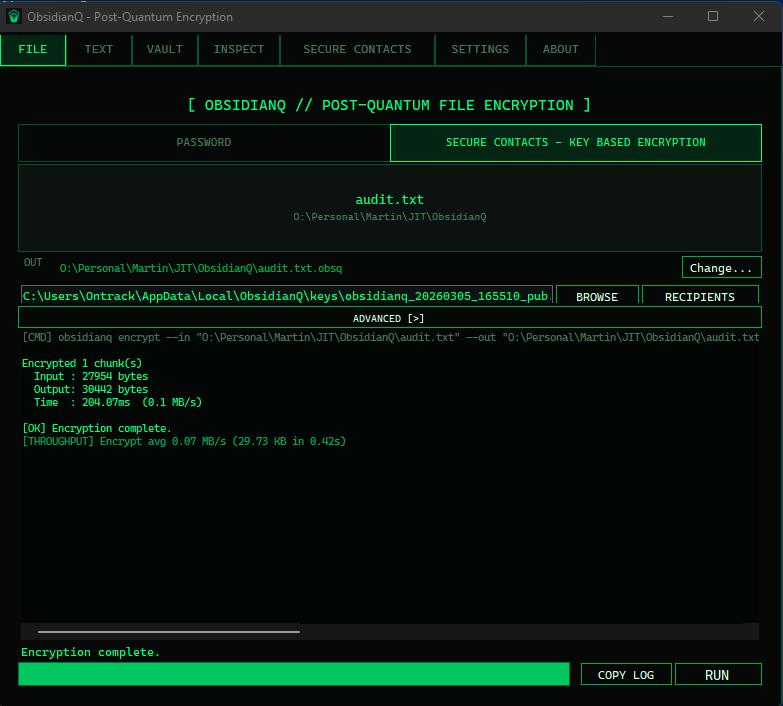
ObsidianQ File tab screenshot
File tab workflow
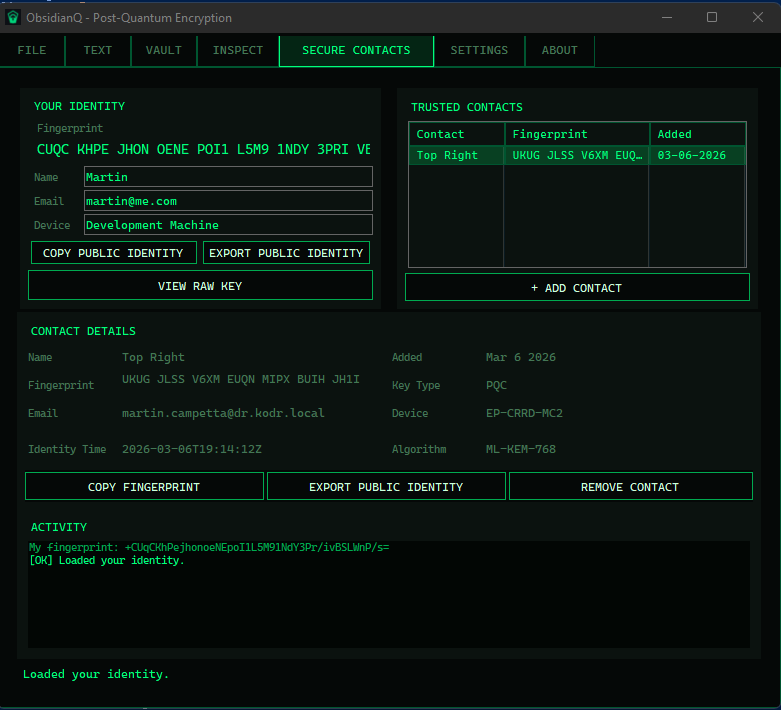
ObsidianQ Secure Contacts screenshot
Secure Contacts
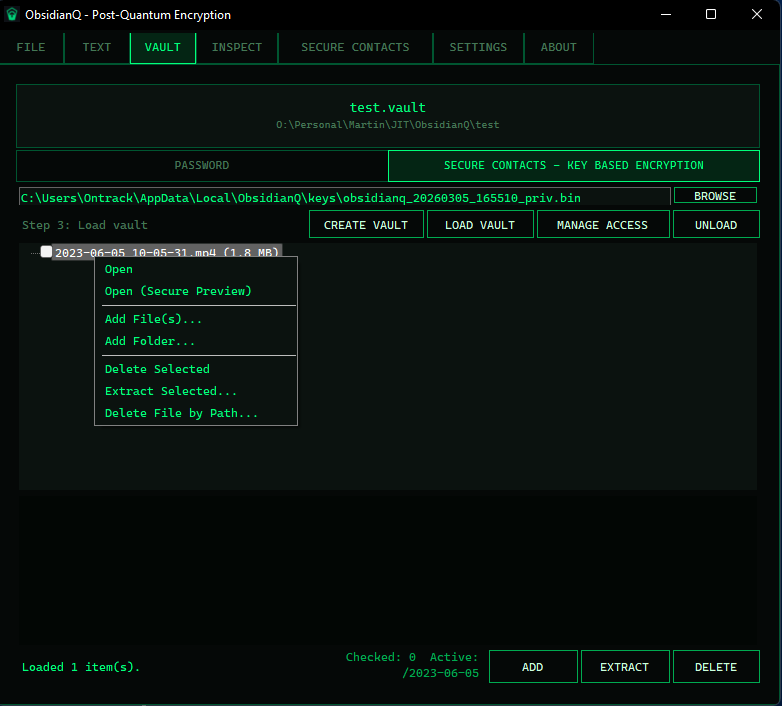
ObsidianQ Vault screenshot
Vault operations
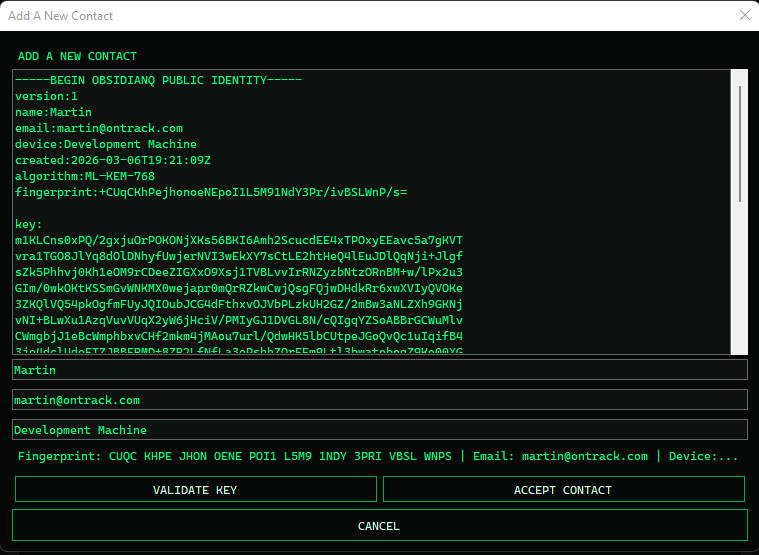
ObsidianQ Add Contact dialog screenshot
Add Contact workflow
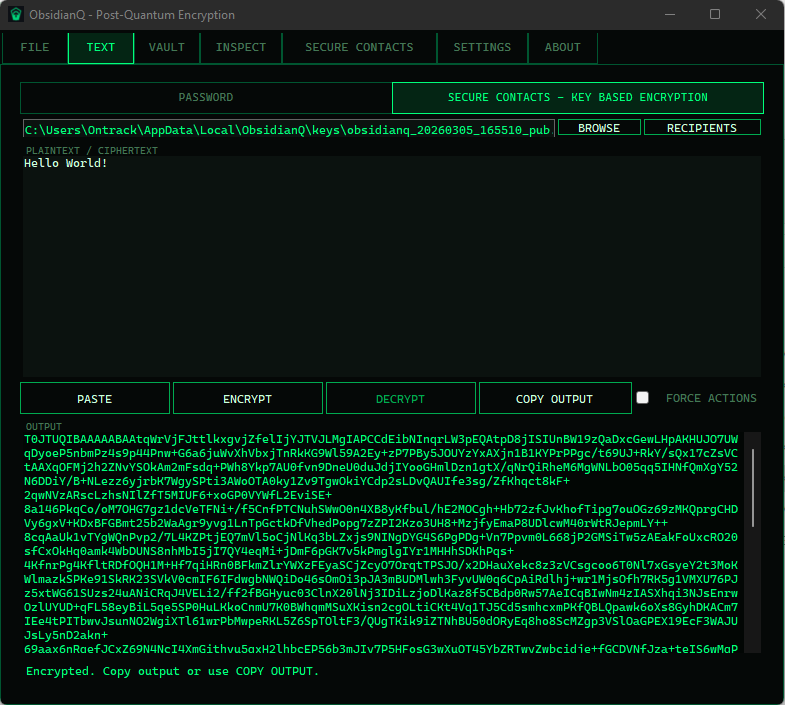
ObsidianQ Text tab ciphertext workflow screenshot
Text tab ciphertext workflow
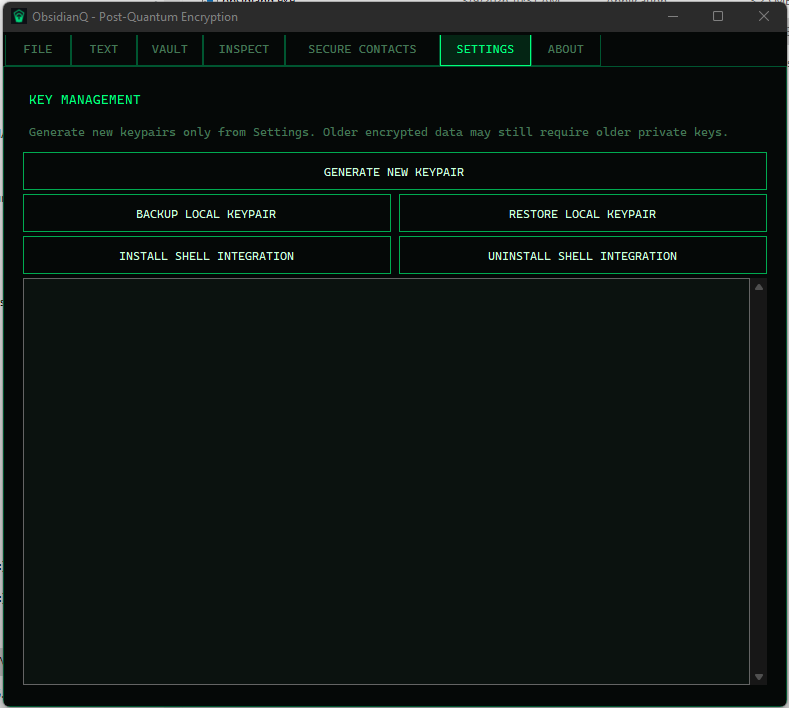
ObsidianQ Settings tab screenshot
Settings and key management

Shell Integration

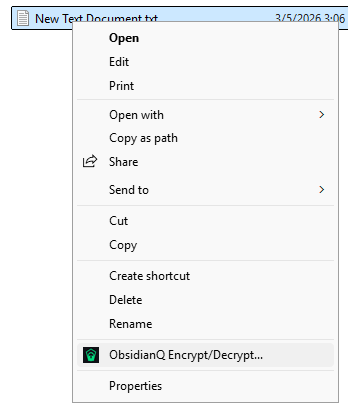
Right-click shortcuts for fast encryption and package creation workflows from Windows Explorer.
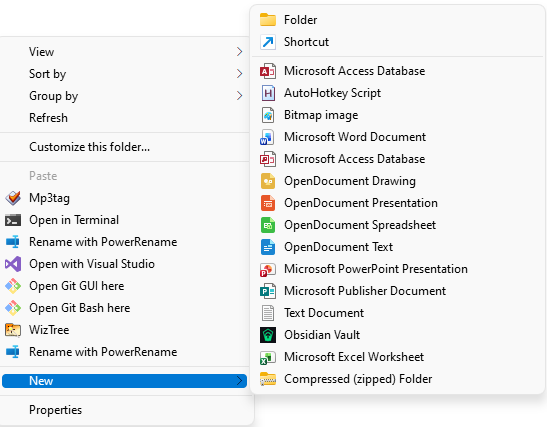
Windows Explorer New menu showing Obsidian Vault option
New > Obsidian Vault
Windows Explorer context menu showing ObsidianQ Encrypt Decrypt options
Encrypt, decrypt, and create packages from Explorer
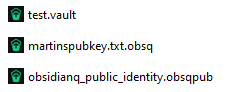
ObsidianQ associated file types in Windows Explorer
Native open support for vault, encrypted package, and public identity files

Security Architecture

ObsidianQ has not yet completed a formal third-party audit. Security wording is intentionally conservative and should be validated against current release notes and code.

Performance Snapshot

Quick Start

  1. Set up your identity in Secure Contacts.
  2. Add trusted contacts or use password-based protection.
  3. Encrypt files, protect text, inspect containers, create secure delivery packages, or work in a secure vault.
  4. Share encrypted files with Secure Contacts for seamless access without password handoff, or use portable password-protected packages when you need recipient-friendly delivery.

Tabs Overview

FileEncrypt and decrypt files using a password or trusted-contact recipient exchange.
TextProtect short text, clipboard content, or pasted ciphertext using password mode or Secure Contacts recipient exchange.
VaultCreate and mount encrypted vaults with password protection or Secure Contacts recipient access control.
InspectReview `.obsq`, vault, ZIP package, and Single EXE package metadata without decrypting content.
Secure DeliveryCreate ZIP bundles with an offline browser decryptor by default, or use Single EXE delivery as an advanced compatibility option.
Secure ContactsManage your identity and trusted contacts for recipient-based protection.
SettingsConfigure behavior, integration options, clipboard helper options, and key management actions.
AboutRead security model guidance and project details.

Best Practices

  • Verify fingerprints before trusting a contact
  • Back up private keys securely
  • Use strong passwords in password mode
  • Store recovery material safely
  • Keep ObsidianQ updated

Version

ObsidianQ Version: 1.5.0

Built for local-first encryption, practical verification, hybrid recipient protection, and recipient-friendly delivery workflows.

Local-first security | Modern cryptography | Trusted file exchange